Customer feedback
Build a feedback survey for customers who just finished onboarding. Ask for a satisfaction rating, what was confusing, and one thing we should improve. Keep it to three questions.Explore survey building

AI form builder
Turn a plain-language brief into an editable form or survey, then customize the questions, logic, design, and publishing experience before you share it.
Trusted by 5,400+ customers globally.
From brief to first draft
Create a short inquiry form for a freelance web designer. Ask for the client’s name, email, type of project, target launch date, and a short project description. Keep the tone friendly. End with a thank-you message saying I’ll reply within two business days.
What’s your name?
Name
Where can I reach you?
What kind of project do you have?
Multiple choice
When would you like to launch?
Date
Tell me a little about your project.
Text
Example only. Generated questions and field types may vary; review and edit the draft before publishing.
Tell Deformity who will answer, what you need to learn, and which fields matter. Include your preferred tone and keep the first version focused on one goal.
Edit the generated questions, check field types and required answers, then adjust the design. Add and test conditional logic for any paths that need different questions.
Test the form as a respondent, including on a phone. Check the ending and integrations, publish, and share the link or embed it on your website.
Build a feedback survey for customers who just finished onboarding. Ask for a satisfaction rating, what was confusing, and one thing we should improve. Keep it to three questions.Explore survey building
Create a registration form for a half-day design workshop. Collect name, email, session preference, and accessibility requests. Include a confirmation message with a reminder to check their email.Browse templates
Create an inquiry form for a small marketing agency. Ask about the company, service needed, budget range, and timeline, then collect a contact email. Use a professional tone.Plan your form workflow
You do not need to rewrite your entire brief to make a small change. In the builder, open Edit with AI and use the field labeled Describe what you want to see. Name the question or setting you want to change and explain the result you expect. The form remains editable manually, too.
Add an optional website URL after the email question. Keep all other questions as they are.
What to check: Check that the new question uses the URL field type, is optional, and appears in the intended position. Specific instructions make it easier to review whether the result matches your request.
If someone selects ‘Not sure yet’ for their project type, ask what they are trying to achieve before continuing to the launch date.
What to check: Preview both the ‘Not sure yet’ path and a named project type. A generated logic rule still needs to be tested with the answers a real respondent might choose.
Use my website [paste your URL] as a reference for the form’s colors, fonts, and tone. Keep the existing questions and logic.
What to check: The AI editor can inspect a website for design references. Check the proposed colors, typography, and any suggested media against your brand; results depend on what the site makes accessible. Adding your own logo or removing Deformity branding requires a paid plan.
Use a warm cream background and dark text. Keep the questions and logic unchanged.
What to check: Review the contrast, buttons, and phone layout. You can refine fonts, colors, images, and layout directly in the designer when you want precise control.
These are example editing requests, not a promise of identical output. Where an AI response includes a saved version, use its preview and Restore this version controls to inspect or return to that state. Make one focused change at a time so you can tell what improved.
Add the audience, decision, and constraints to your request. ‘Ask new customers what prevented them from finishing onboarding’ is more useful than ‘make a feedback form.’ Specify how many questions you want and which information is essential.
Separate required details from optional context. Ask the editor to remove questions you will not act on. Keep email optional if you do not need to contact respondents; keep it required when a reply is part of the service.
Describe the selected answer, the question you expected next, and what happened instead. Check the logic in the builder and run the same path again after editing. Also test the other choices so one fix does not leave another path incomplete.
For AI-driven forms, add relevant background in Snippets and make the Purpose specific. A Curious personality is suited to exploring why; Short & Sweet aims for brevity. Give the form approved business details rather than expecting it to invent your policies.
Deformity also connects to compatible assistants through MCP. Once connected, you can ask your assistant to create a form, update its questions, or fetch submissions for analysis without moving every step into the builder. MCP access is included on Free; your assistant service may have its own subscription or usage limits.
AI help in the builder and AI conversations with respondents are counted separately. Free includes 5 AI builder messages per form. When those are used, you can continue editing manually or upgrade for more AI assistance.
Free also includes 100 AI-powered respondent conversations in total across all workspaces in your organization, with no monthly reset. After that allowance, forms can keep collecting static responses. Unlimited static responses do not mean unlimited AI interviewing. Check your account usage before starting a campaign and compare the current plans if you expect more AI conversations.
For multilingual AI forms, the default experience can follow the visitor’s browser language. Selecting a fixed default language turns that automatic behavior off. Static forms display in one language. Preview the languages your audience uses and review the language settings before publishing.
Generating questions helps you get started. Deformity can also use AI during a respondent’s conversation. In our public demo, we entered a fictional freelance designer’s goal: “Learn a client’s goals, budget range, and desired launch date before scheduling a call.” The next response acknowledged that client-intake context before asking about question types.
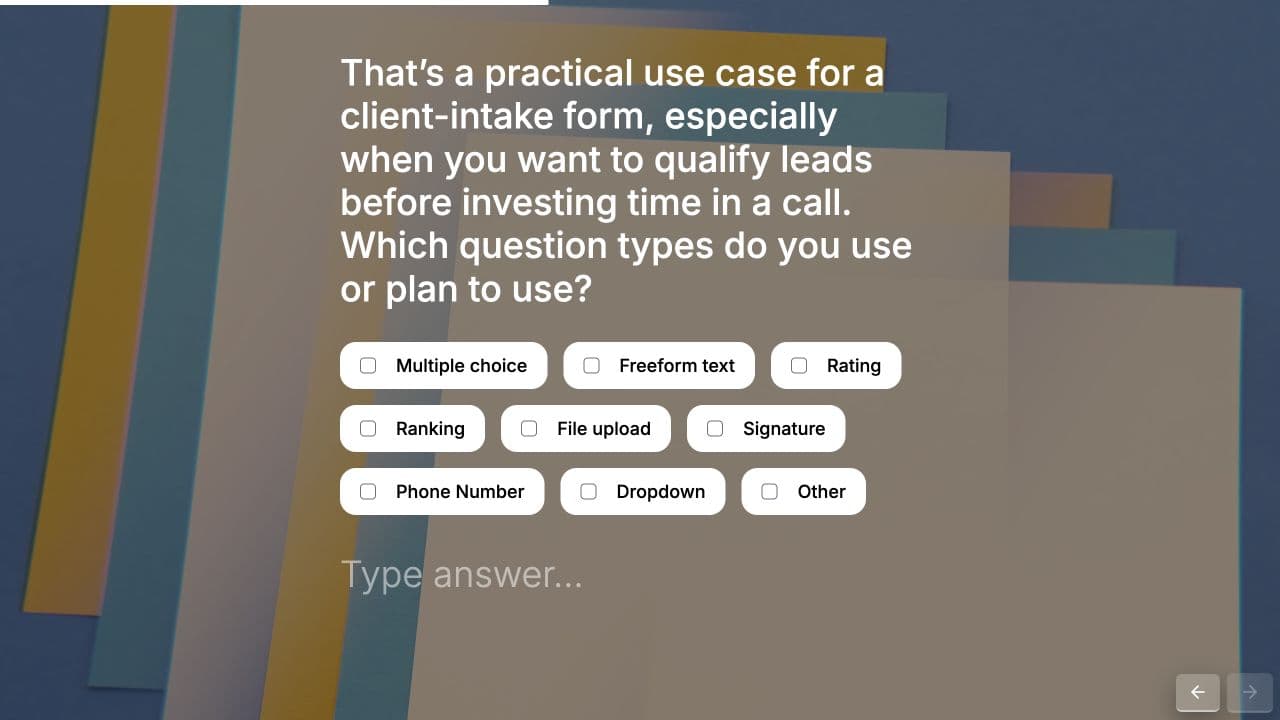
Use fixed questions when you need consistent answers to compare, conditional logic for paths you define, and AI follow-ups when you want to explore the reason behind an answer. Review the experience before launching.
Unlimited static responses are included on Free, subject to fair use. Respondent AI conversations have a separate allowance. Check current AI limits and plans.
Compare more than the first draft: check how you can edit questions, set up logic, publish your design, and collect responses. If you need to explore the reasons behind an answer, evaluate the respondent’s AI conversation as well as the builder.
An AI form builder turns a plain-language description into a starting form structure, questions, and flow. You can then review and edit the result before publishing it.
Create contact forms, lead-generation forms, surveys, quizzes, applications, registrations, feedback forms, and client-intake flows from a short brief.
You can start on Free with an included AI builder-message allowance and 100 AI-powered respondent conversations. Manual editing and unlimited static responses remain available after those AI allowances are used. Review the limits above and the pricing page before choosing a plan.
Yes. Open Edit with AI in the builder and describe a focused change, such as adding a URL question or changing a field from required to optional. Review the updated form and test its paths. Manual editing remains available if you prefer direct control.
AI responses with a saved version provide preview and restoration controls. Preview a version before selecting Restore this version. Review the resulting form and publish when ready; do not assume that every message includes a saved checkpoint.
Yes. Connect Deformity to a compatible assistant through MCP, choose the workspace, and ask the assistant to create or update a form. MCP access is included on Free. Your assistant provider may have separate subscription or usage limits.
No. AI assistance while building a form is different from AI interviewing. You can create and edit a form with AI, then use a static respondent experience when you want everyone to see the questions and answer options you configured.
State the purpose, audience, required fields, optional fields, tone, and desired ending. Name any branches explicitly. For example, say which answer should trigger a follow-up question instead of asking for smart logic without explaining what it should do.
Start with a free account, review your questions, and publish when you are ready. Unlimited static responses are included.
Create a free form